Ghost Mode
Internet can stay on. You still look offline. Incoming chats and calls do not mark you as available. Useful when you want the network, not the presence.
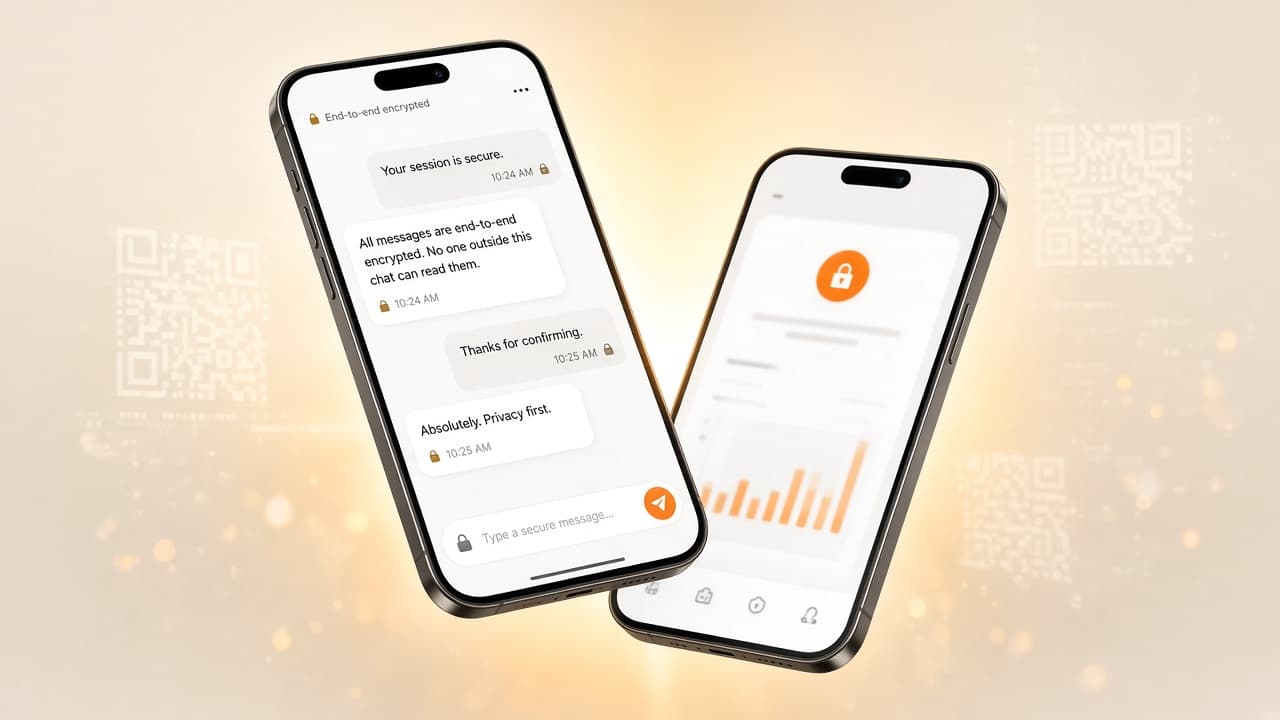
Locksee is a free encrypted messenger. Scan a QR to connect. Ghost Mode, per-chat permissions, and a QR that cannot be shared behind your back.


Also on the App Store. We do not invent download counts or star ratings.

Encrypted chats and calls. Scan a QR — no phone number. Ghost Mode, per-chat permissions, and an alert if someone tries to share your code.
Scan to connect
No number. Just a QR.


This chat is locked. See you at 7?

Kabir
On my way. Stay on Locksee.
10:26
See it in action
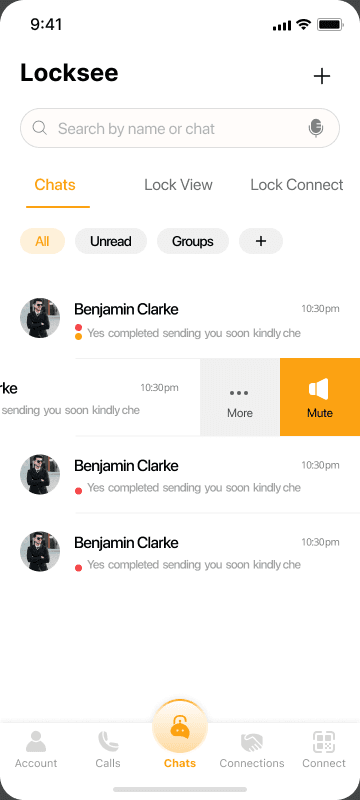
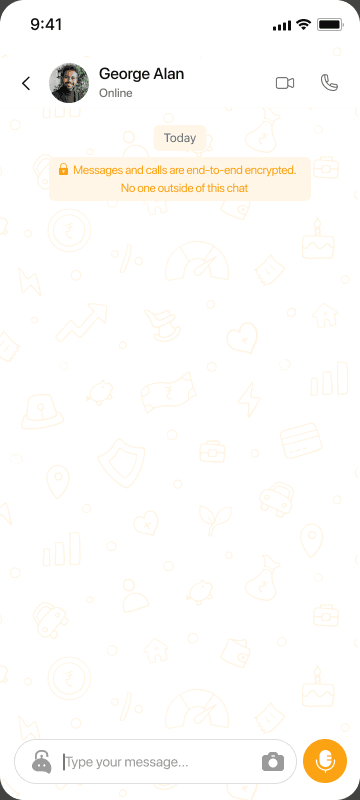
A real Locksee session: messages going out, media in the thread, then an encrypted call. Security stays on for the whole path — not only the text bubble.
Try the flow
Real Locksee screens in a short loop: QR connect, encrypted chat, then a call. Security stays on for the whole path. Tap a step to jump.
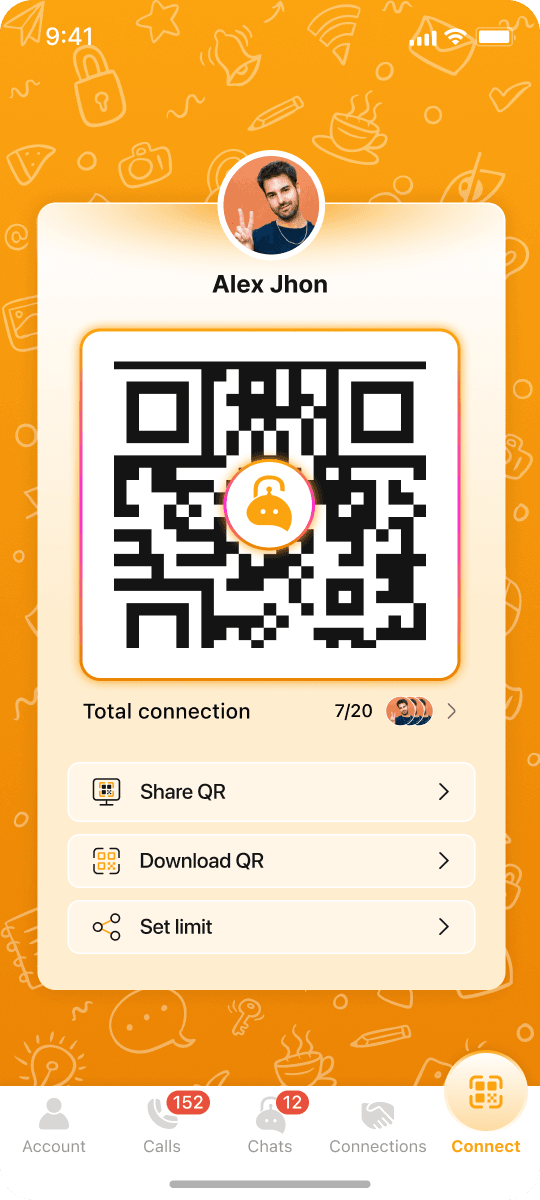
Scan a QR. No phone number, no public directory.
Get started
Three steps. No signup form, no phone number at the door. You connect, then you decide who sees you and who can call.
Get the free app on iOS or Android. No waitlist, no signup form, no phone number asked at the door.
Show your code or scan theirs. That is the whole contact list. You can cap how many times a QR works, and you get told if someone tries to pass yours on.
Messages and calls lock on the device. Then you decide Ghost Mode, who can ring you, and how that one thread looks.
Every control
Encryption is the floor. On top of that: numberless QR identity, Ghost Mode, per-chat permissions, sealed groups, Lock Chat, and a code that cannot be passed on in secret.
Every chat, voice call, and video call is locked on your phone before it leaves. Locksee cannot open the content. Security is the default, not a setting you hunt for.
Locksee is not a phone-number app. You add someone by scanning a QR — no SIM, no email, no public directory. If they do not have your code, they do not have a way in.
Your QR is not theirs to forward. If someone tries to share your code behind your back, you get an alert. This is the feature that keeps Locksee from becoming a leaked invite list.
Set how many times a code can be scanned. After that limit the QR dies. Refresh it when you want a clean door — events, travel, one week, one person.
Internet can stay on. You still look offline. Incoming chats and calls do not show you as available. Useful when you want the network, not the presence.
Privacy is per person, not all-or-nothing. Hide your photo, last seen, online status, screenshots, notifications, or QR share. Switch off calls and that one person cannot ring you.
WhatsApp groups let members open each other’s profiles. WhatsApp group calls leak numbers. In Locksee, adding someone does not hand the room their number, profile, or QR.
PIN-protect a single conversation. Encryption hides content from servers. Lock Chat hides it from the next person who unlocks your phone.
Block screenshots on sensitive threads so a private talk is harder to capture and forward. Pair it with the per-chat screenshot toggle.
Set a message to vanish after it is read, or after a timer you choose. The chat does not have to live in a gallery forever.
Give one conversation its own wallpaper. A work thread, a family thread, a hard conversation — each screen can look different without changing the whole app.
We do not harvest contacts, sell profiles, or run ads on your chats. The product is the messenger — not your graph.
Your rules
Tap any toggle on this page. Their chat updates live — photo, status, calls, lock, groups, screenshots, notifications, and QR share.
Internet can stay on. You still look offline. Incoming chats and calls do not mark you as available. Useful when you want the network, not the presence.
Privacy is per person. Hide photo, last seen, online status, screenshots, notifications, or QR share. Switch off calls and that one person cannot ring you.
Give one conversation its own wallpaper. A work thread and a family thread do not have to share the same screen.
No phone number to join a list. Scan a QR and they become a friend. If they do not have your code, they do not have a way in.
This chat
Tap a toggle. It applies to one person — not the whole app.

Customize privacy — try every toggle
Tap any control. Photo, last seen, online, calls, lock, groups, screenshots, notifications, QR share — each one changes what Aanya sees.
Your photo is hidden from them.
This chat · you
They · Aanya
Kabir
Last seen today 10:24
On my way. Stay on Locksee.
See you at 7.
Chat locked
Lock view is off for this person.
 Message Kabir…
Most important
WhatsApp group calls leak numbers. WhatsApp groups let everyone open everyone. Locksee does neither — and if someone tries to pass your QR on, you find out.
The standout.
Your QR is not theirs to forward. If someone tries to share your code behind your back, you get an alert. This is what keeps Locksee from becoming a leaked invite list.
You set the cap.
Decide how many times a code can be scanned. After that limit the QR dies. Refresh it for events, travel, one week, or one person.
Not like WhatsApp.
WhatsApp group calls leak numbers. In Locksee, adding someone does not hand the room their number, profile, or QR. You invited a person — not a public card.
Members are not a directory.
WhatsApp groups let members open each other’s profiles. Locksee groups do not. There is no browse-the-room, no QR hunt inside the member list.
Compare
Other apps encrypt messages. Locksee also drops the phone number, alerts you if a QR is shared, hides group profiles, and lets you switch off calls for one person.
| Feature | Locksee | Signal | |
|---|---|---|---|
| Connect without a phone number | |||
| Add friends by QR scan | |||
| Alert if someone shares your QR | |||
| Set a QR scan limit | |||
| Group call without leaking numbers | |||
| Hidden profiles inside groups | |||
| Ghost Mode (look offline) | |||
| Per-chat call & profile permissions | |||
| Wallpaper for one chat only | |||
| End-to-end encrypted chats | |||
| Encrypted voice & video calls | |||
| Lock an individual chat | |||
| Screenshot protection | |||
| Self-destruct messages |
High-level product comparison. Details change as other apps ship updates. Read the Security page for how Locksee works.
Who it is for
Real situations, not fake reviews. If these sound like you, Locksee is the fit.
Share a QR at the airport. Nobody has to hand out a new SIM number. Cap the scans so the code dies after the trip, then refresh it when you are home.
A locked thread for one project. PIN it with Lock Chat. Per-chat permissions keep a contractor from ringing you after hours — without muting the whole app.
If they do not have your QR, they do not have a way in. There is no public phone directory to scrape, and a QR share alert tells you if someone tries to pass your code on.
Add people to a call or a room without handing the circle their number, profile, or QR. Members are not a browseable directory.
Security first
Locksee encrypts chats and calls on the device, then stays out of the content. No public phone book, no ad graph, no silent QR forwards. Presence, screenshots, and who can ring you stay in your hands.
Full security page →Encryption happens on the device. Chats and calls travel as ciphertext. Locksee staff cannot read a thread or sit in on a call.
Identity is a QR you choose to show. There is no public phone book to scrape, spam, or leak into a group call.
Ghost Mode, last-seen, and online status are yours to switch — globally or for one person. Being connected is not the same as being visible.
No contact harvesting, no ad graph, no “improve the product” copy of your messages. Read the Privacy Policy for the legal wording.
Numberless identity
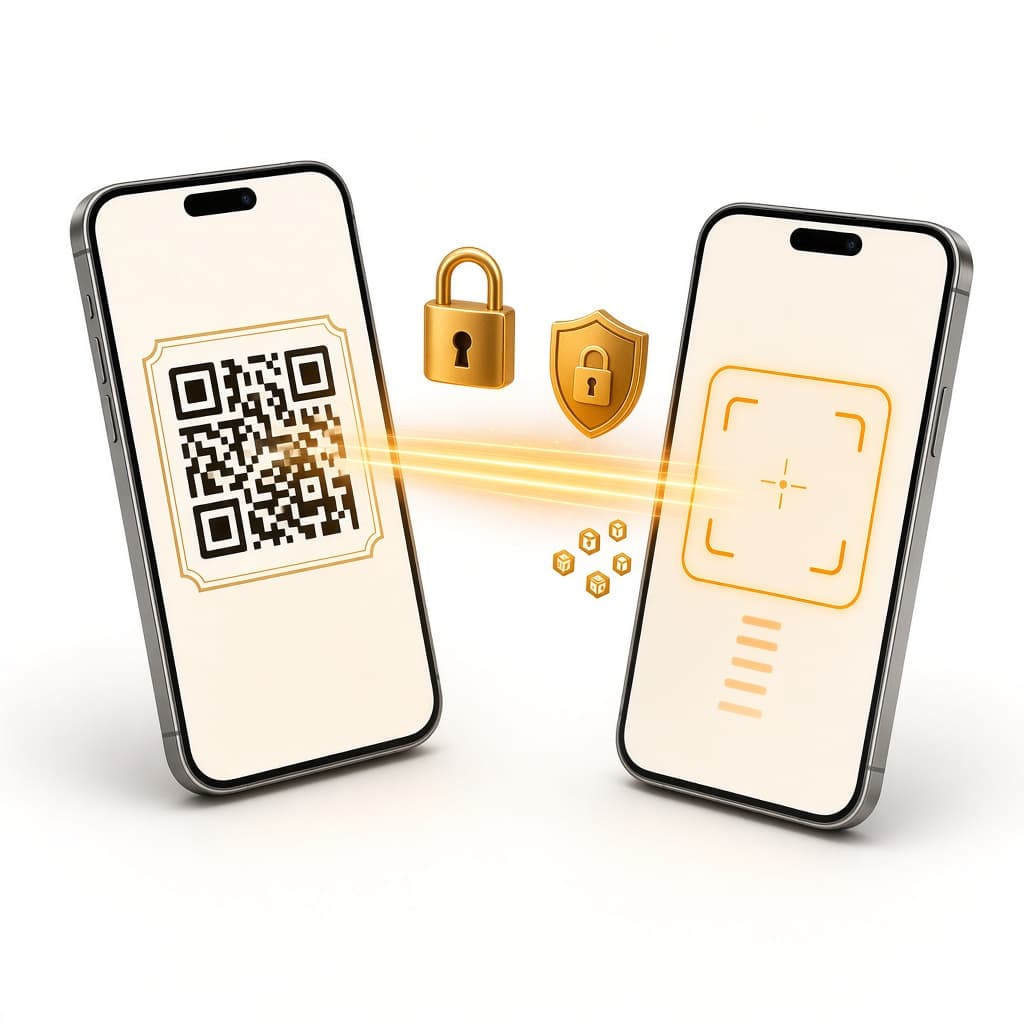
No phone number, email, or public username. You show a code or you scan one. After that, cap the scans, refresh the door, and get an alert if someone tries to pass your QR on.
Got Questions?
Longer answer: What is Locksee?
Download Locksee on iOS or Android. Scan a QR, lock the thread, and keep groups from turning into a directory.